
XA_Learn
Learn the way no one ever taught you.
A study app for Windows 10 and 11. It turns your own material into the format each idea needs, runs on your own computer and keeps working with the connection taken away.
XA_Learn is now in Alpha 0.0.1.4.
Pre-alpha is behind us. XA_Learn has grown from a website into an application for Windows 10 and 11, and it will be released in 2027: free, open source, here on our site and on GitHub. The screens and features on this page are how it looks today, and any of them may still change before release.
Overview
Your sources, in every form you need.
XA_Learn is a study app that runs on your own computer. You give a project your own material, such as a PDF, a Word file, a web page or a YouTube video, and it rebuilds that material in the shape each idea needs: a 3D lesson, a narrated video, a podcast, slides, a mind map, flashcards, exercises or an exam.
The model it writes with runs on your computer too, so it keeps working with no connection, and nothing you give it leaves your machine. There are no accounts: one profile, kept on your computer, with your name, your look and everything you have made.
The interface then adapts to you, from the theme and the typeface to how colours are shown for different types of colour vision.
Status
- Platform
- Windows 10 and 11
- Status
- In development
- Build
- Alpha 0.0.1.4
- Public release
- 2027
- Price
- Free
- Code
- Open source
- Languages
- 10
- Themes
- 26 presets, all free
Why it is different
Built around your material and around you.
Your sources, nothing else. Every answer is built from the material you selected, and names the passage it came from. If your sources do not cover something, it says so instead of guessing.
Yours, on your computer. XA_Learn is a Windows application, not a website. Your projects, lessons and settings stay in your profile on your own computer, and it keeps working with the connection taken away.
One project, many forms. Sixteen Studio tools turn the same material into a podcast, a video, a presentation, a summary, a report, a lesson, a mind map, key terms, flashcards, a quiz, a minigame, exams and exercises.
You can watch it think. Every answer, and everything the Studio makes, shows what it is doing as it does it: the searches, the passages it chose, each part as it is written and every check it ran.
Built around you. 26 presets, seven modes, 21 colours, six typefaces, colour vision options, ten languages and a questionnaire about how you learn.
Inside
Ten screens from the current build.
Tap a screenshot to see it full size, or swipe to move between them. This is Alpha 0.0.1.4, so expect things to move.
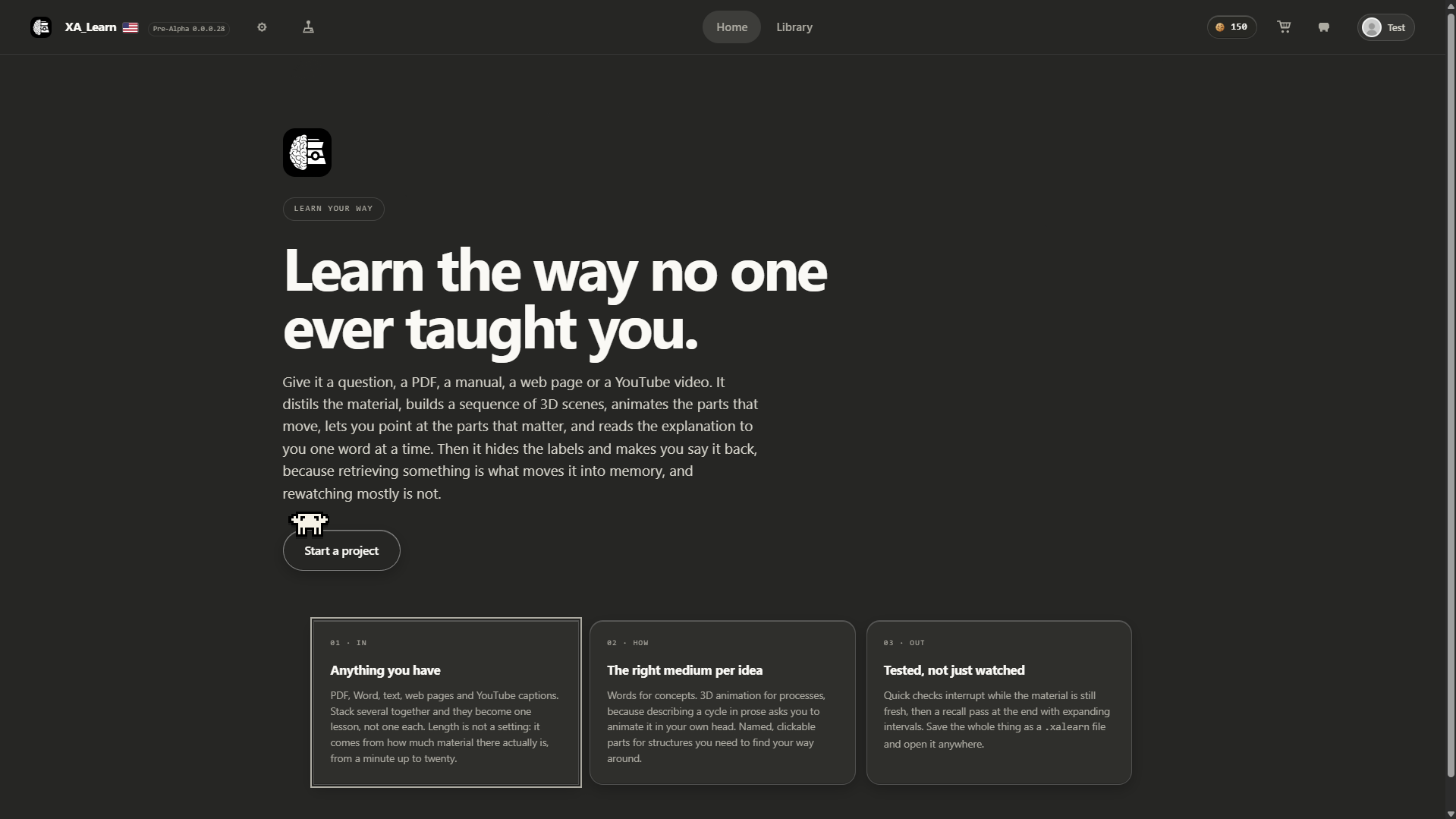
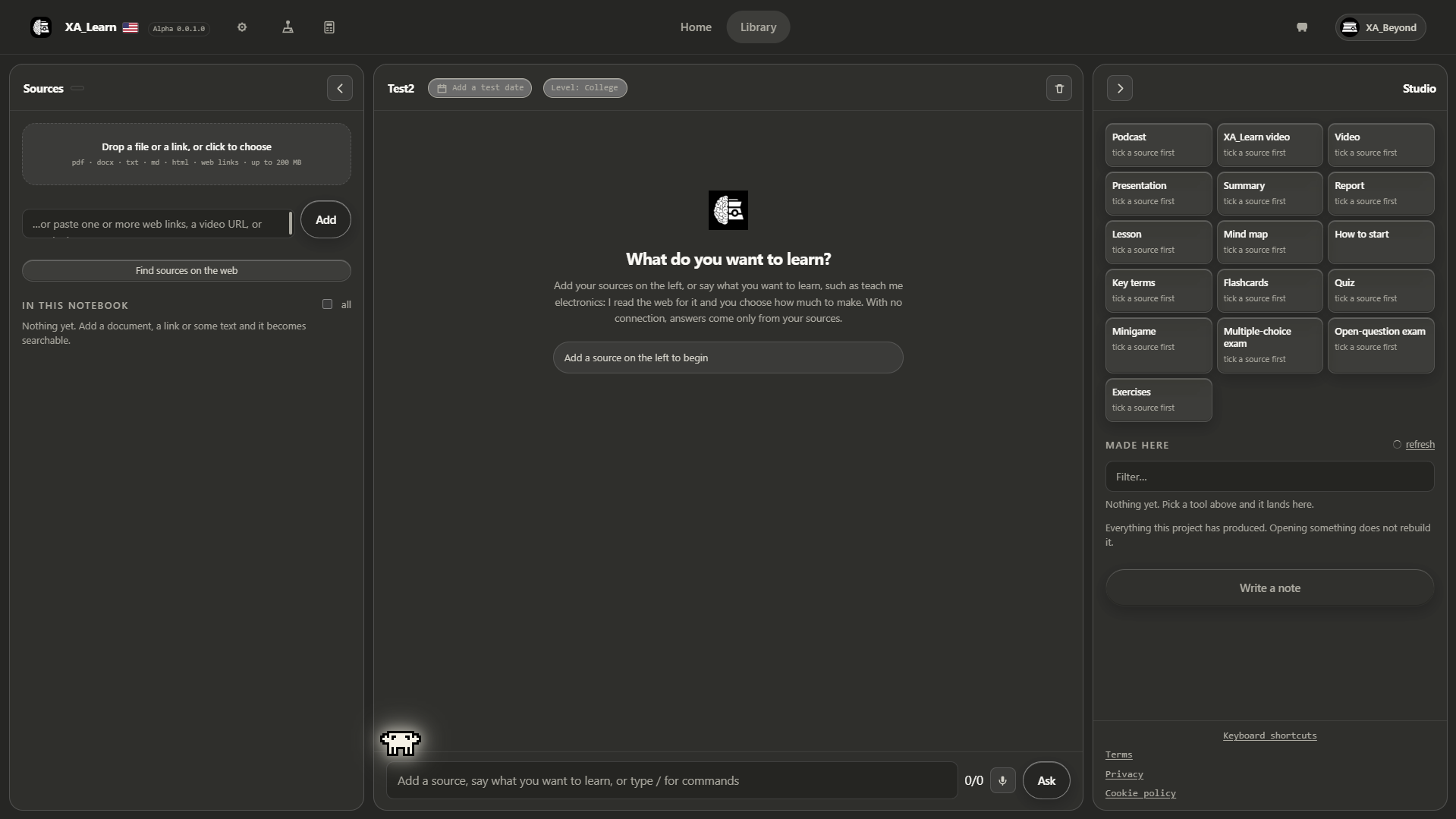
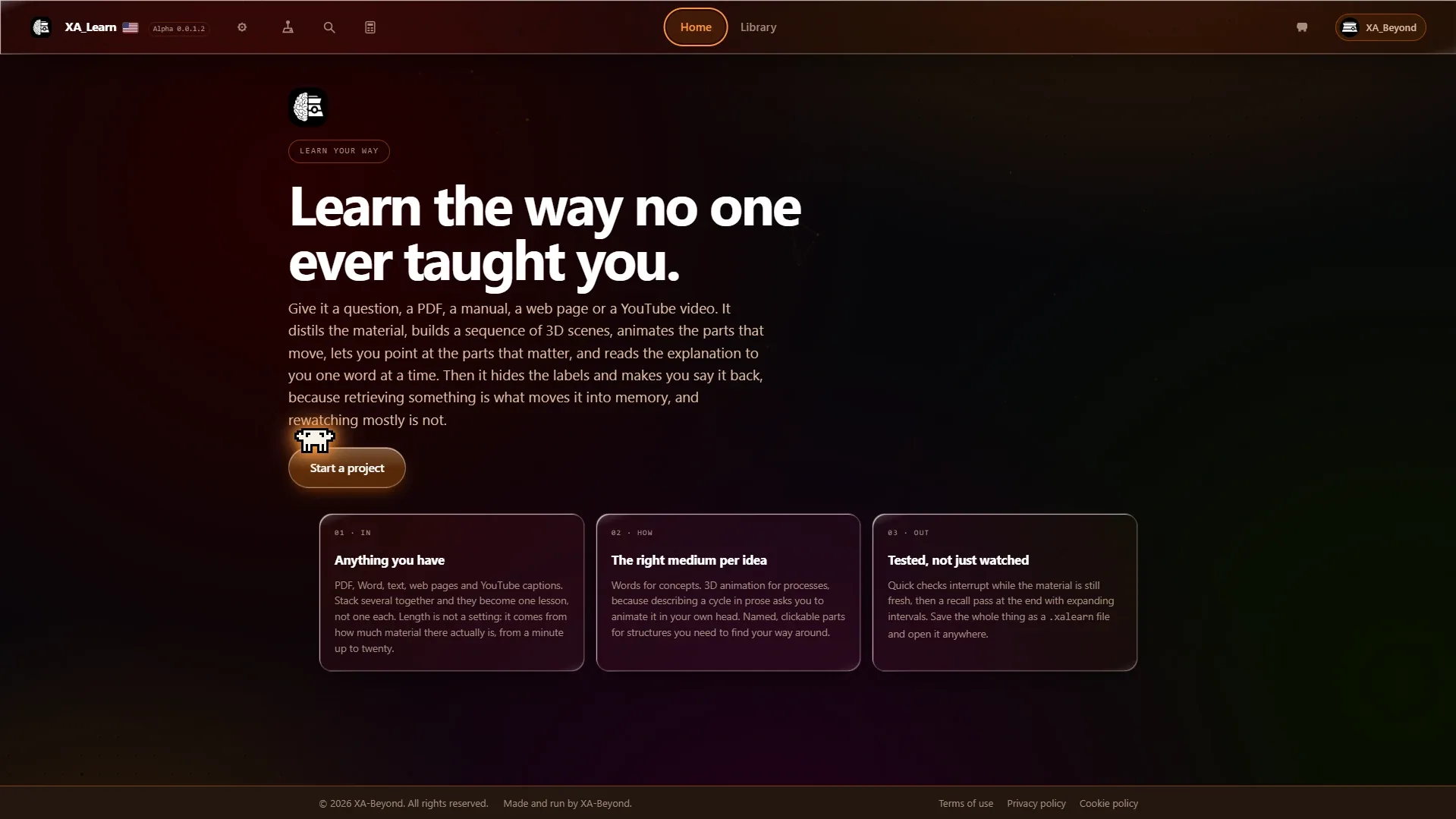
The home screenStart from a question, a PDF, a manual, a web page or a YouTube video. XA_Learn turns it into a lesson, reads it to you, then asks you to say it back.
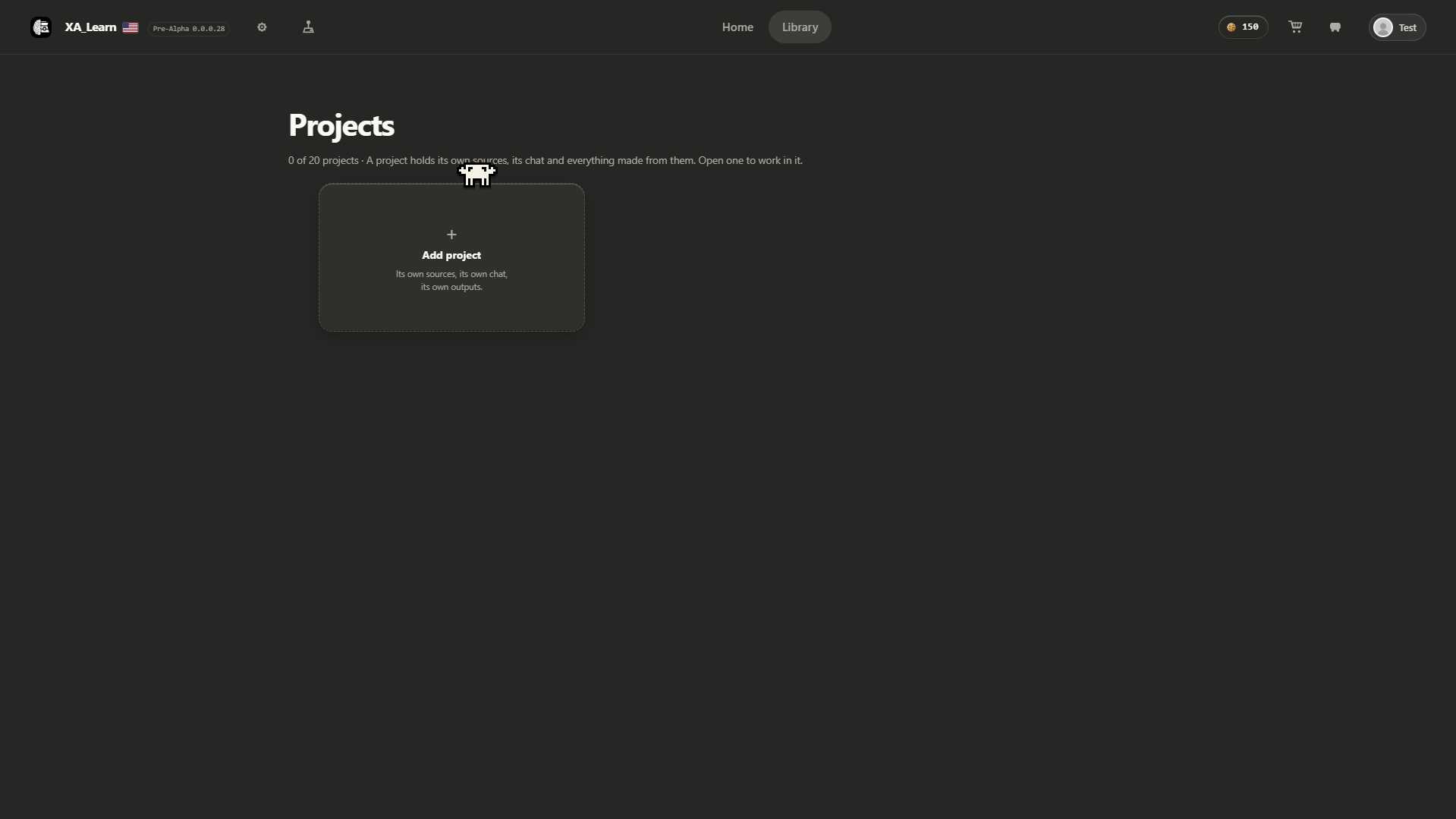
Your projectsEvery project holds its own sources, its own chat and everything made from them. Open one to work in it.
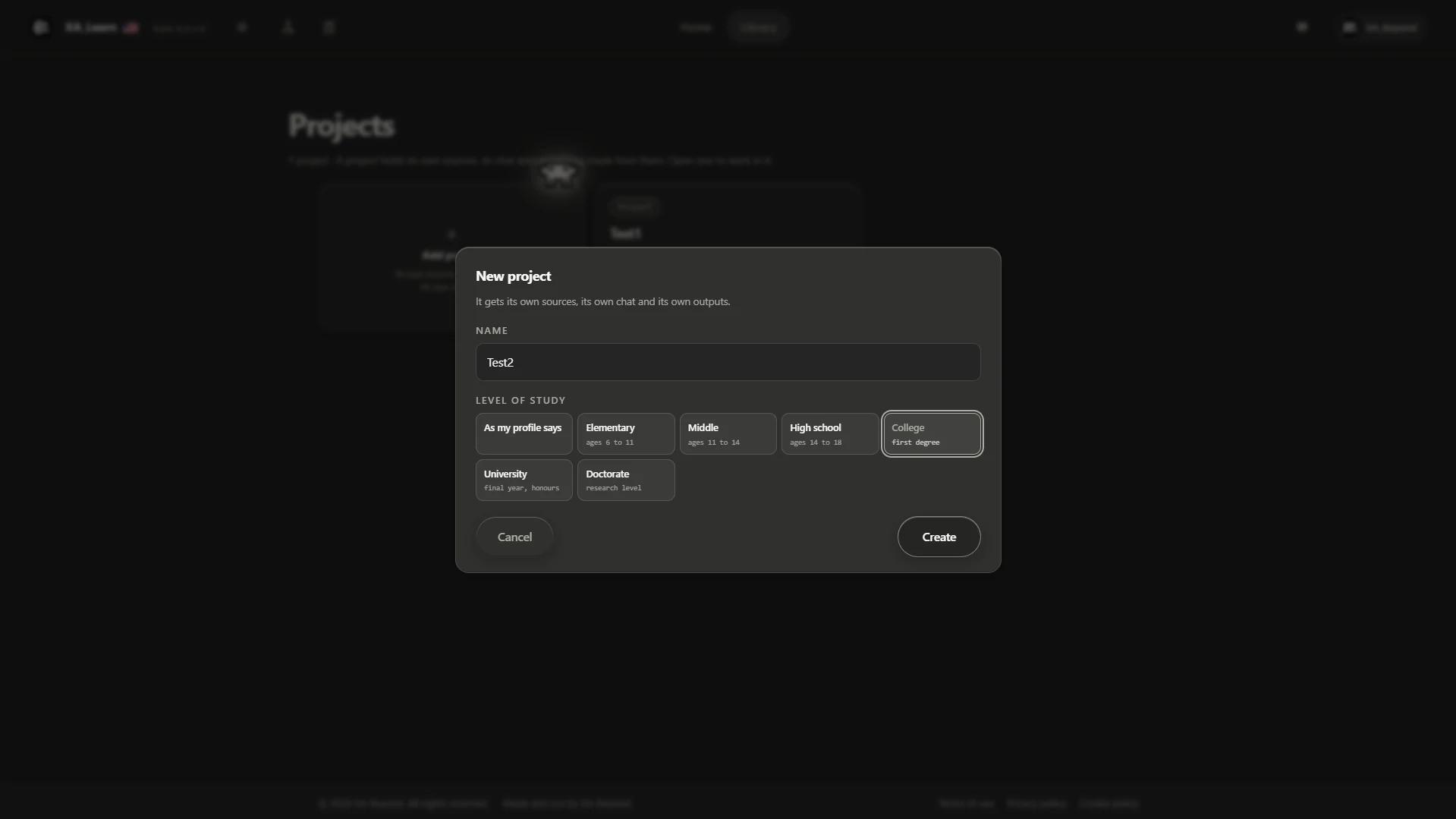
A new projectGive it a name and a level of study, from elementary school to doctorate, and what is made in it is written for that level.
The notebookSources on the left, a chat that answers only from them in the middle, and the Studio on the right, with sixteen tools from a podcast to an open-question exam.
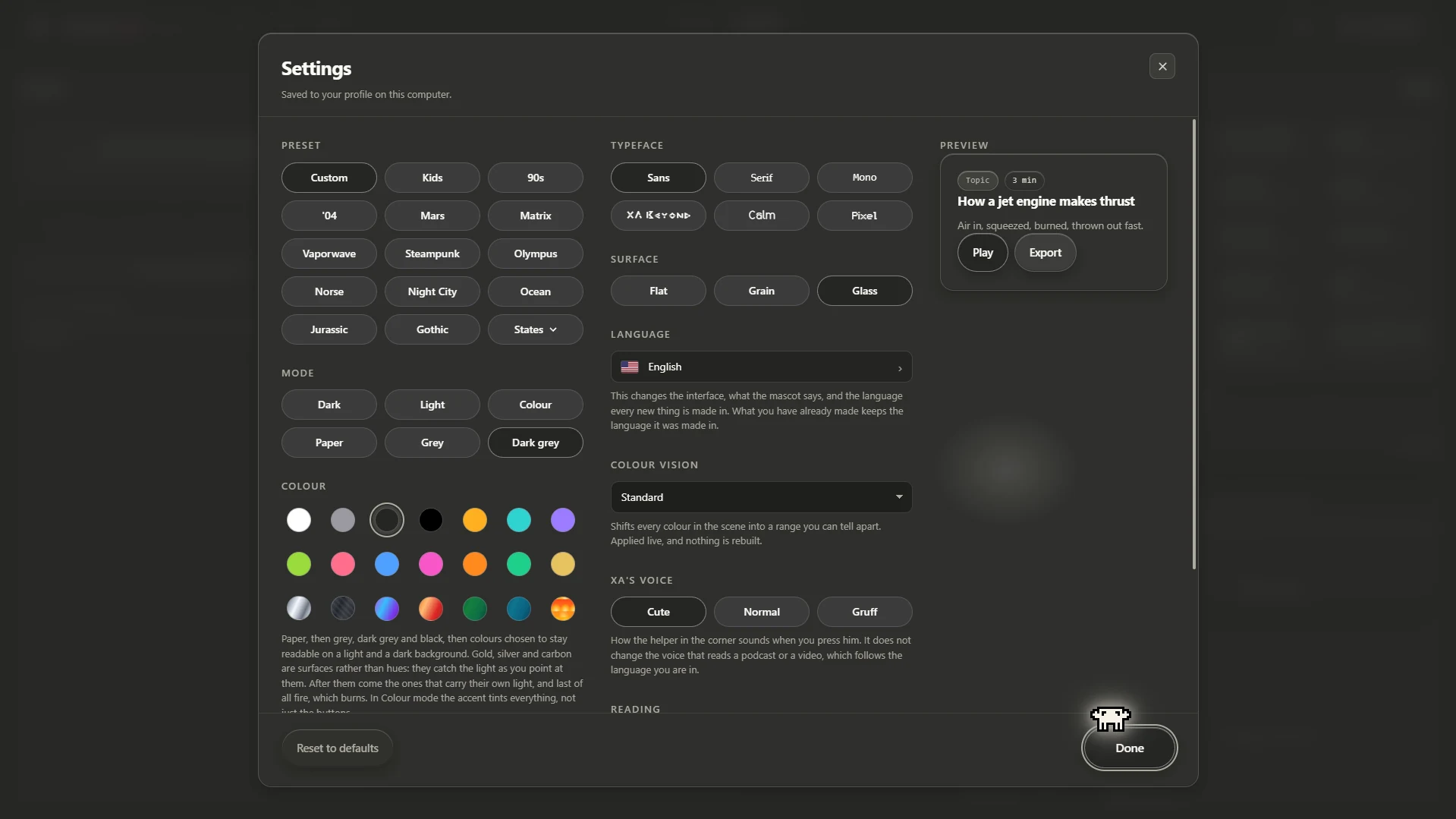
Built around youPresets, seven modes, 21 colours, six typefaces, three surfaces, colour vision options and a voice for XA-mmy. All free, saved to your profile on this computer.
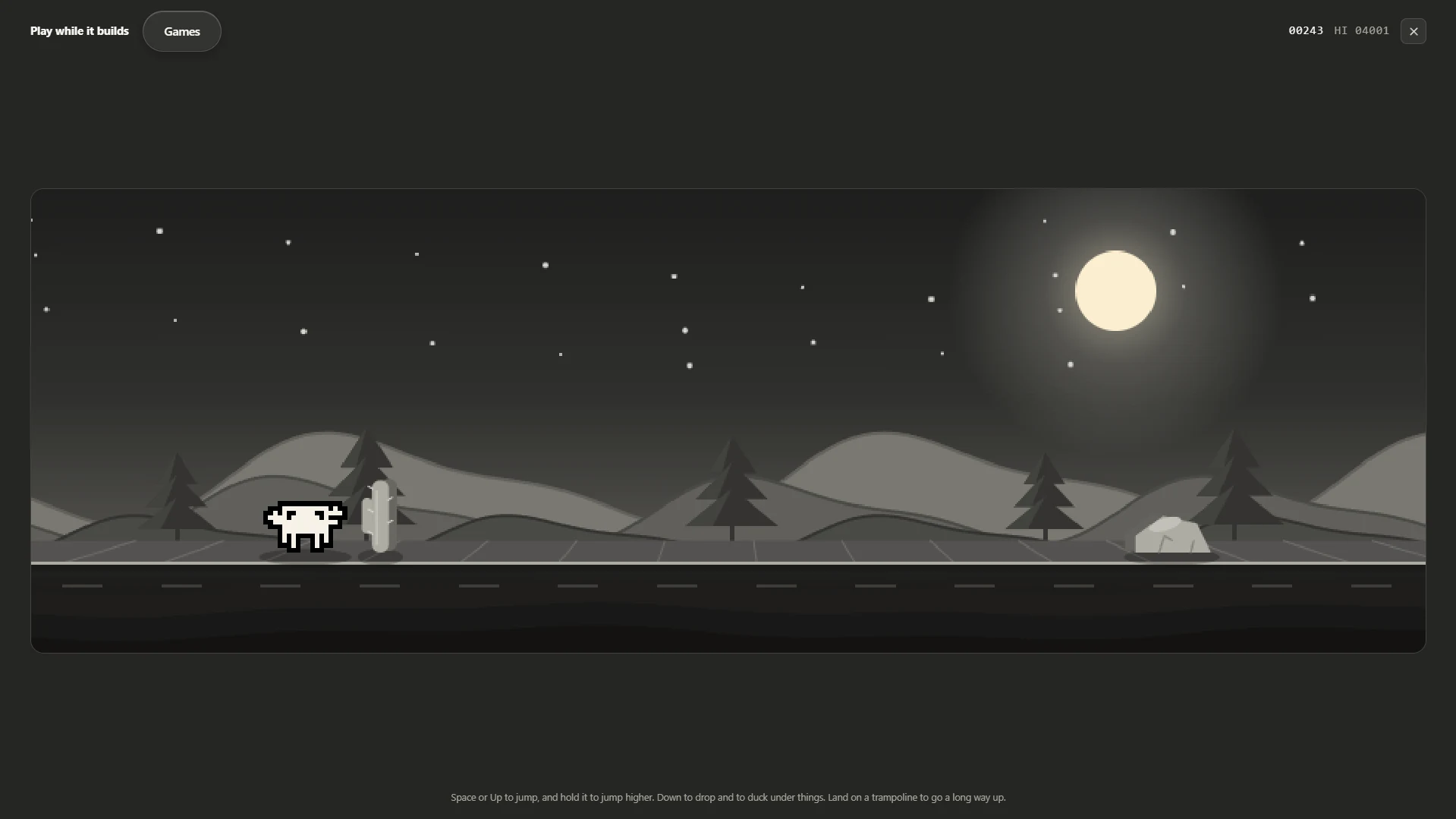
Play while it buildsA lesson takes a moment to build. In the meantime XA-mmy runs, jumps and ducks in a little game of its own.
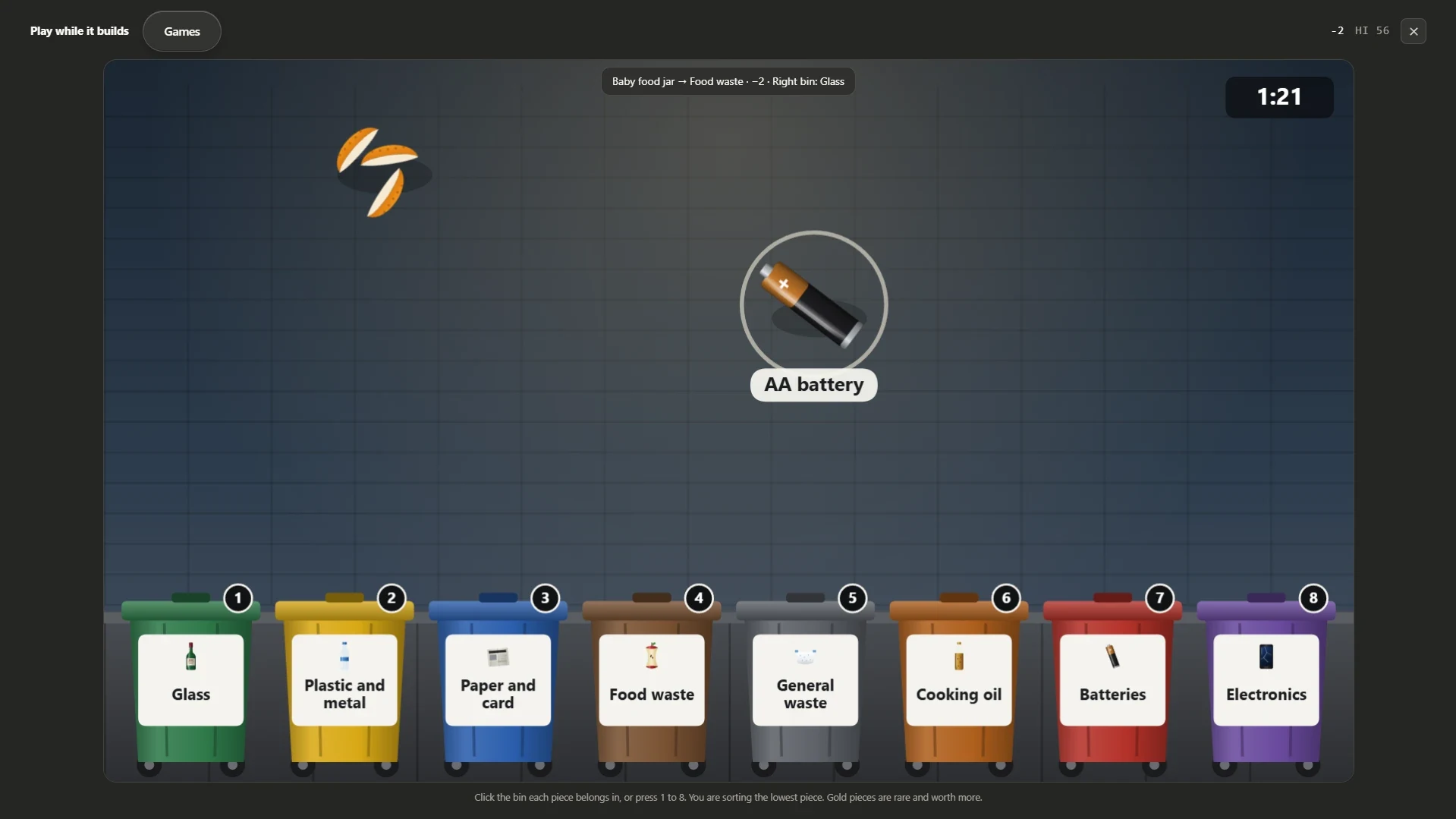
More than one gameThe Games menu has more to play while you wait, such as sorting waste into the right bin against the clock.
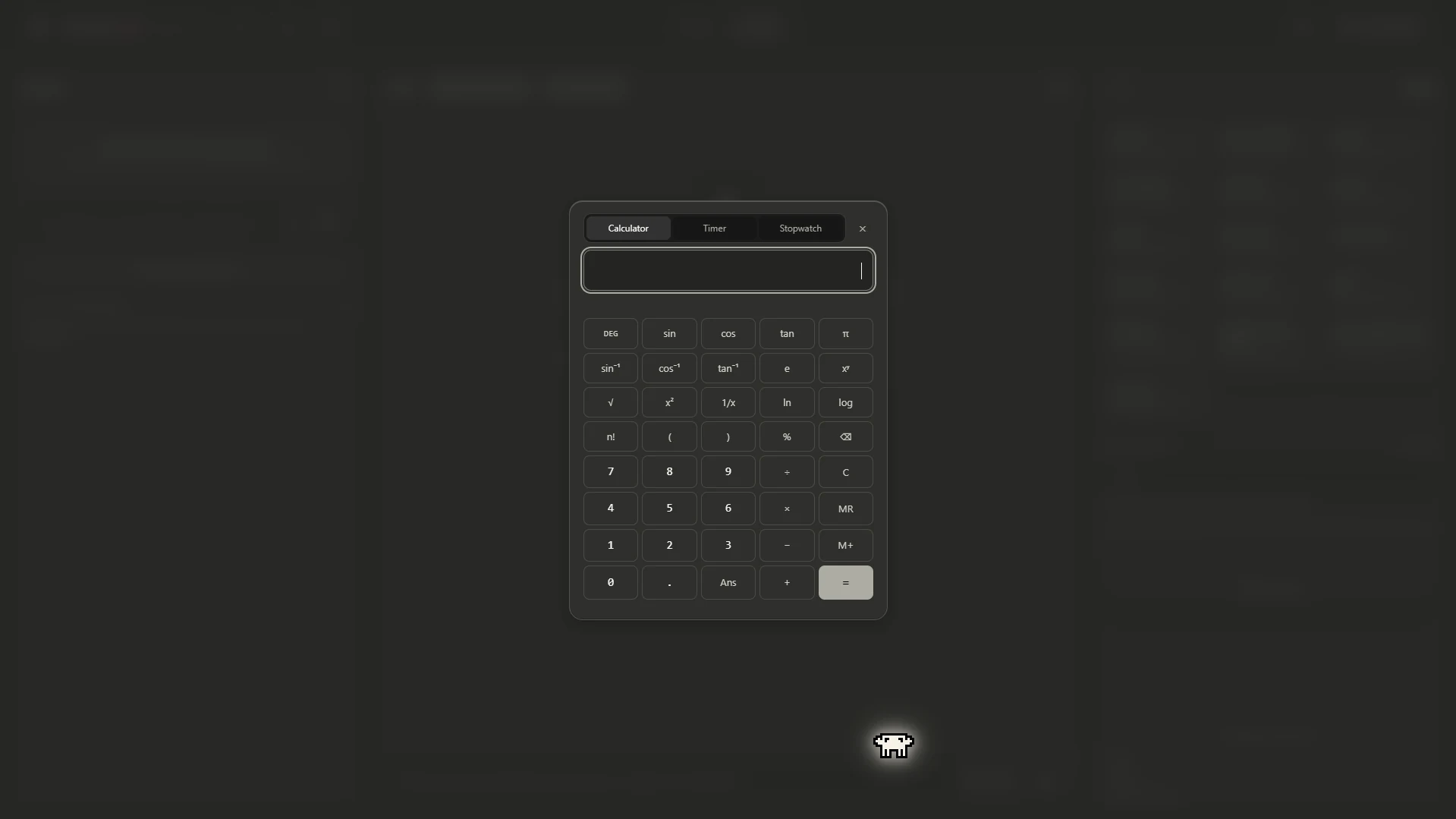
Tools at handA scientific calculator, a timer and a stopwatch, one click away on every page.
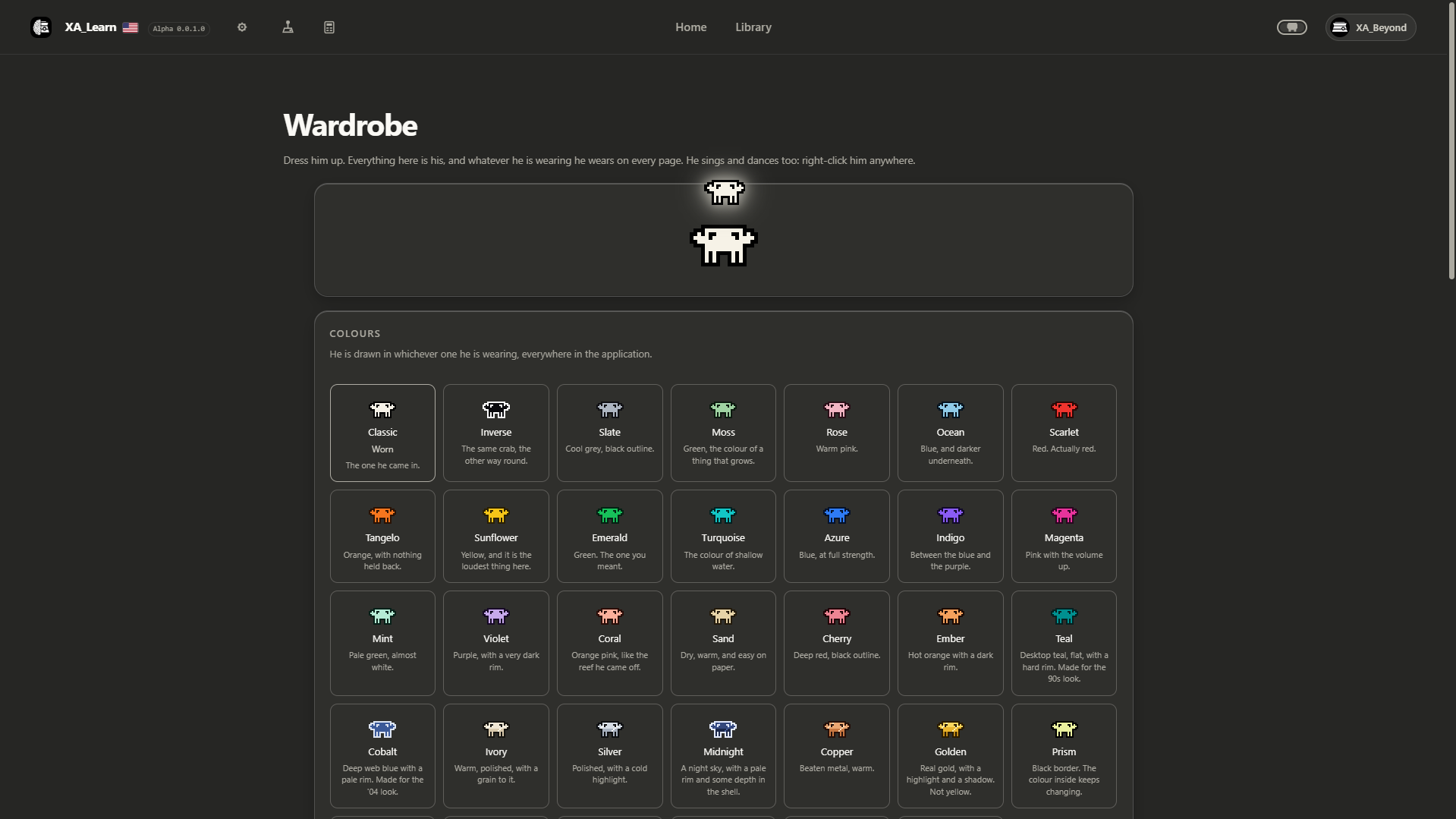
XA-mmy's wardrobeDress XA-mmy in any colour, hat, effect or instrument. Everything in the wardrobe is free, and whatever it wears, it wears on every page.
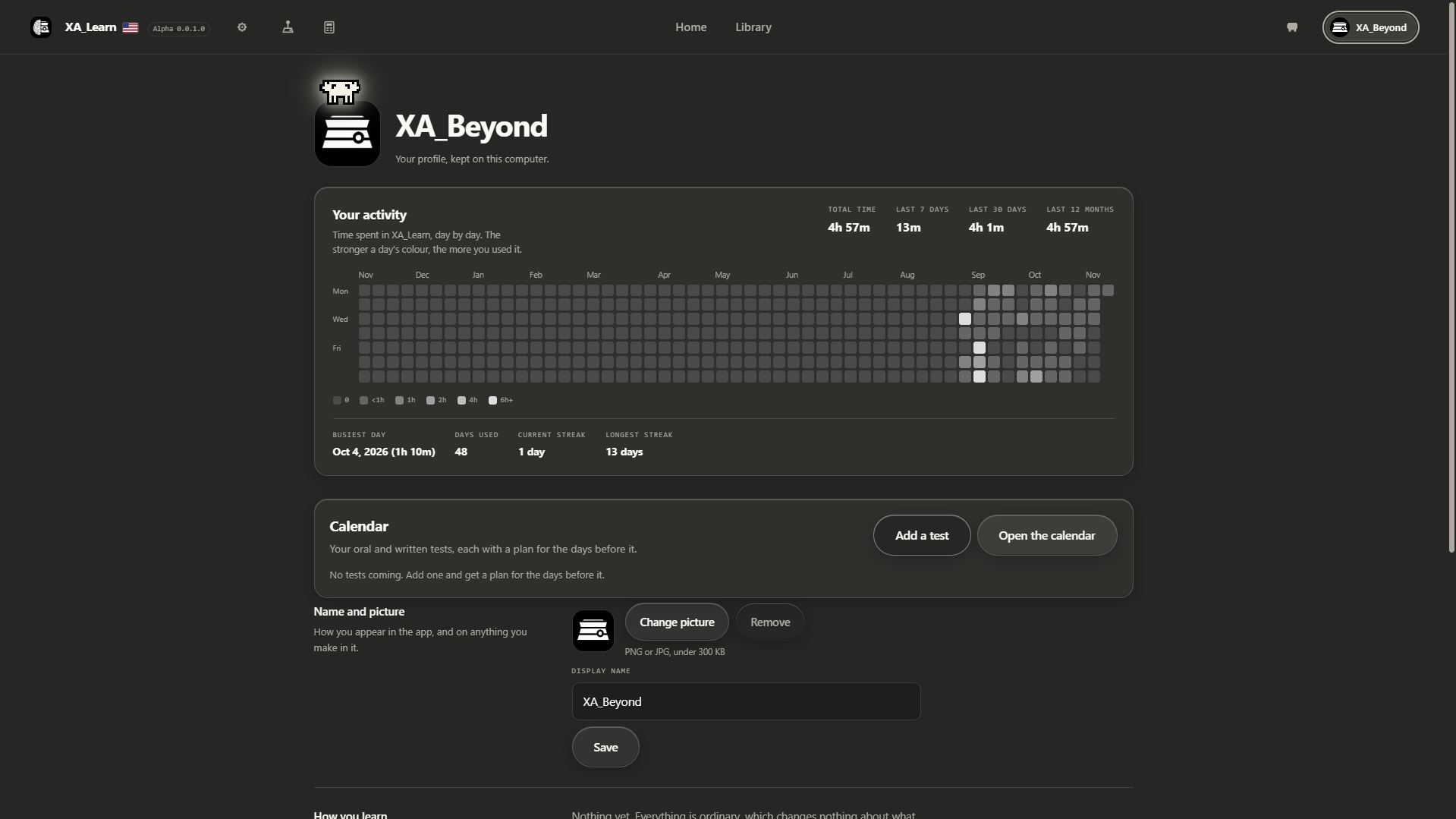
Your profileTime spent learning day by day, streaks, and a calendar for your tests, each with a study plan for the days before it.
How it works
From your material to real understanding.
Add your material. Start a project from a question, a PDF, a manual, a web page or a video. Each project keeps its sources separate from the others.
Choose a format. Ask questions and get answers that cite your sources, or have the Studio make a 3D lesson, a narrated video, a podcast, slides, a mind map, flashcards, exercises or an exam.
Say it back. When a lesson ends, the labels disappear and you answer from memory, in a shuffled order and at growing intervals, because retrieving something is what moves it into memory.
Make it yours. Pick a theme, a mode, a typeface and a language. XA_Learn remembers your choices and applies them on every page.
Behind XA_Learn
Harder than we expected. Worth every hour.
When we started XA_Learn, we did not expect a project of this size. This is the work that goes on behind every screen.
From a website to an application. Up to the last pre-alpha, XA_Learn ran in the browser. Alpha 0.0.1.4 is a Windows program with a window of its own, which opens your profile, your projects and your settings straight from your computer.
It has to work, in every language. No graphical glitches, features that behave the same way every time, and text, audio and video that are translated into every language XA_Learn supports.
Small models, big results. We do not have the giant AI models with hundreds of billions of parameters that the largest companies use. XA_Learn runs on smaller models with shorter context windows. With our own algorithms and a system of sub-agents that share the work, it produces content comparable to far larger models: it can read a PDF thousands of pages long and turn it into a video without trouble.
More than a study tool. We are not building just another app for learning. XA_Learn is meant to adapt to each person and create what they need, when they need it.
What comes next. Testing goes on every day, so that XA_Learn can be released in 2027, free and open source. For now, we are proud to have pulled off something many people considered practically impossible.
XA-mmy
A small helper that knows the way around.
XA-mmy sits in the corner of every page. You never have to use it, but it is there when you need a hand.

Shows you around. Not sure where something is or how a tool works? Ask XA-mmy and it points you to the right place.
Makes material for you. XA-mmy can generate study material from your sources, so you can ask for what you need without hunting through menus.
Completely customisable, completely optional. Dress it in any colour, give it a hat, an effect or an instrument, and pick the voice it speaks with. Everything is free and purely cosmetic: leaving XA-mmy as it is changes nothing about how XA_Learn works.
The wardrobe
Every XA-mmy there is.
40 colours and 37 hats, drawn pixel by pixel and shown here exactly as the app draws them: the ones that move in the app move here too. On top of them come 10 effects and 5 instruments, and all of it is free.
Colours
 Classic
 Inverse
 Scarlet
 Tangelo
 Sunflower
 Emerald
 Turquoise
 Azure
 Indigo
 Magenta
 Slate
 Moss
 Rose
 Ocean
 Mint
 Violet
 Coral
 Sand
 Ember
 Teal
 Cobalt
 Cherry
 Ivory
 Silver
 Midnight
 Copper
 Cookie
 Biscuit
 Cake
 Buccaneer
 Ghoul
 Denim jacket
 Candy cane
 Golden
 Prism
 Glitch
 Fire
 Blue fire
 Violet fire
 Inferno
Hats
 Cap
 Beanie
 Party hat
 Birthday cake
 Flower
 Bandana
 Bow
 Antenna
 Visor
 Plant sprout
 Chef's toque
 Graduation cap
 Top hat
 Cowboy hat
 Headphones
 Halo
 Wizard hat
 Kabuto
 Jingasa
 Shades
 Brass goggles
 Winged cap
 Double crown
 Traffic cone
 Fish
 Frill
 Mitre
 Viking helm
 Tricorne
 Captain's hat
 Lollipop
 Carved pumpkin
 Santa hat
 Lion dance
 Bunny ears
 Crown
 Imperial crown
More than 25 themes
Make it look like yours, for free.
Every customisation of the interface is free. There are 26 presets: 14 looks, from Kids and 90s to Mars, Matrix and Gothic, and 12 countries, from Italy and Egypt to Japan. Choose Custom to mix your own from seven modes, 21 colours and three surfaces, or pick a preset and let it decide. The typeface, one of six, stays yours in every one of them. Click the sides or swipe to browse them.
CustomYour own mix of mode, colour, typeface and surface. Free, like every other customisation.
ItalyFrom the States set. Free, like every other customisation.
EgyptFrom the States set. Free, like every other customisation.
United StatesFrom the States set. Free, like every other customisation.
DenmarkFrom the States set. Free, like every other customisation.
MatrixPreset theme. Free, like every other customisation.
Typeface
XA Beyond, a typeface of our own.
XA_Learn comes with XA Beyond, the typeface we drew for XA-Beyond: straight lines, sharp corners, every letter cut into pieces and the lower case set as small capitals.
It is made to be looked at as well as read. Every word becomes a shape of its own, and that is the idea: it is designed to give your visual memory more to hold on to, so that what you read is easier to recognise and to recall.
It is one of six typefaces, beside Sans, Serif, Mono, Calm and Pixel, and XA Calm and XA Pixel are drawn by us too. Whichever preset you choose, the typeface stays yours.
XA BeyondThe XA_Learn home screen, set in our own typeface.
Languages
Ten languages, and more on the way.
The language changes the interface, what XA-mmy says and the language every new lesson is made in. What you have already made keeps the language it was made in.
These are the first ten. We are going to add more languages as XA_Learn grows.
Language pickerFrom English to Norsk.
Language pickerFrom Español to Svenska, with Português and Suomi.
Outputs
One project, every format.
People do not all learn the same way. XA_Learn lets the same material be read, watched, listened to, played or tested, so you can use whichever format works for you.
Release
Free, open source, coming in 2027.
XA_Learn will be released in 2027 as a free application for Windows 10 and 11. You will be able to download it here on our site and on GitHub, where its code will be open for anyone to read.
There is nothing to buy. No accounts, no subscriptions and no shop: every Studio tool, every theme and everything in XA-mmy's wardrobe is yours from the start.
It is not available yet. We will announce the release date on this page and on our socials. Until then, the Alpha is tested every day.
At release
- Price
- Free
- Code
- Open source
- Download
- Our site and GitHub
- Year
- 2027
- System
- Windows 10 and 11
- Account
- Not needed
- Works offline
- Yes
This video cannot be played in your browser. Download the trailer instead.
